

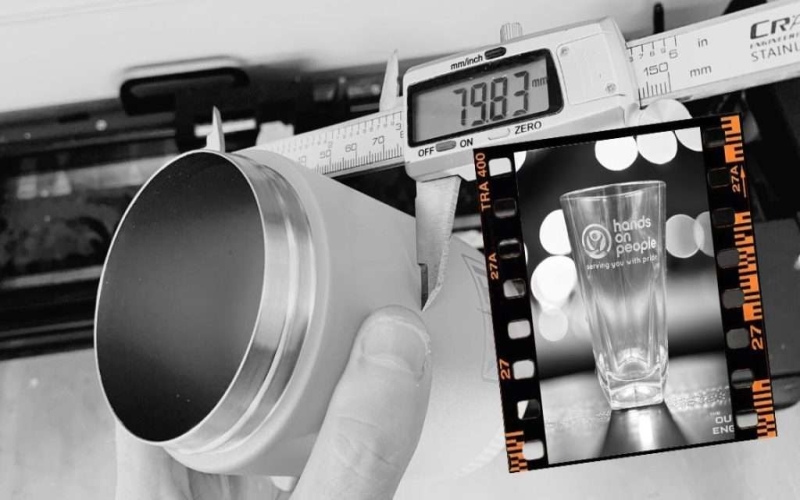
Laser engraving is a precise and versatile technique widely used for creating intricate designs on various materials. While it offers unmatched precision, accuracy, and customization, even experienced users can encounter mistakes that compromise quality.
These mistakes may range from selecting the wrong material to neglecting maintenance. Regardless of how minor they may seem, all errors may lead to costly rework and inefficiency. Therefore, understanding these common pitfalls and learning how to avoid or correct them is key to achieving professional results.
In this guide, we’ll explore seven frequent laser engraving mistakes, how to fix them, and provide practical tips for consistent, high-quality engraving every time.
Avoiding Common Laser Engraving Mistakes
Laser engraving is a highly precise and versatile method used across industries to create intricate designs and markings. However, the technique is susceptible to some mistakes. Therefore, the laser engraver’s attention to detail is required to achieve consistent and high-quality results.
Some of the common issues include choosing incompatible materials, incorrect power and speed settings, and neglecting proper machine maintenance. These mistakes during the engraving process can compromise the final product, increase production costs, and result in wasted materials. One of the biggest challenges is balancing the laser’s intensity and speed to prevent burning or incomplete engraving.
Similarly, failing to secure materials can lead to misalignments, while skipping preliminary testing often results in unsatisfactory outcomes. Poor maintenance of laser lenses and mirrors reduces accuracy, and software calibration errors can cause distortions in designs.
Below are basic principles to avoid these pitfalls.
- Always test materials before starting.
- Adjust power and speed settings based on the material type.
- Regularly clean and inspect machine components.
- Ensure materials are properly secured.
- Use updated software for precise calibration.
7 Common Mistakes in Laser Engraving
While laser engraving offers precision and versatility, even experienced laser engravers may encounter challenges that impact the quality of their work. Therefore, understanding common mistakes and their solutions is key to improving results and ensuring efficiency.
This section highlights seven frequent errors and provides actionable tips to help you avoid them.
Choosing the Wrong Material
The choice of material is critical in laser engraving, considering not all materials are compatible with laser engraving or produce desirable results. For example, certain plastics may release harmful fumes, while reflective metals can damage the laser. Therefore, the first common mistake is working with an incompatible material that may result in uneven engraving, burns, or discoloration.
To avoid this mistake:
- Research the material’s properties before engraving.
- Use materials specifically labeled as laser-compatible.
- Perform a small test on a sample piece to check the engraving outcome.
By selecting the right material, you’ll achieve crisp, professional results and prevent damage to your machine or workspace.
Incorrect Power and Speed Settings
Power and speed settings directly affect engraving quality. Incorrect settings may cause overburning, causing designs to appear charred. Likewise, underburning may cause engravings to seem faint and incomplete. The laser’s power and speed settings are particularly crucial when working with delicate or heat-sensitive materials.
To fix this:
- Consult your laser machine’s user manual for material-specific settings.
- Adjust power and speed incrementally to find the ideal balance.
- Use software previews and test runs to fine-tune your settings.
Ensure to properly configured power and speed for better precision, prevent material waste, and enhance overall engraving quality.
Overlapping Designs or Patterns
Overlapping designs may lead to double etching, uneven engraving, or distorted patterns, resulting in an unprofessional finished product. This issue often arises from improperly aligned design files or unintentional overlaps in the engraving software.
To prevent this mistake:
- Double-check your design files for overlaps before uploading them to the laser machine.
- Use your software’s “preview” or “outline” function to spot and fix overlapping areas.
- Group and lock design elements to avoid unintentional misalignment during editing.
Not Securing the Material Properly
When materials are not firmly secured on the laser bed, they can shift during engraving, resulting in blurred or skewed designs. Loose materials also pose a safety risk by potentially damaging the laser system.
Therefore, to avoid this issue:
- Use clamps, adhesive tape, or vacuum fixtures to secure materials firmly.
- Ensure the material lies flat against the laser bed to prevent movement.
- Periodically check for vibrations or loose attachments during operation.
A stable setup ensures clean, accurate engravings and prevents waste or machine damage.
Skipping Material Testing Before Engraving
Skipping material tests is a common error, especially when working with new or unfamiliar materials. Without a test run, you risk working with incorrect settings that can damage the material or produce unsatisfactory results.
How to fix this:
- Always test on a scrap piece of the same material.
- Create a small design or test pattern to evaluate power, speed, and focus settings.
- Keep a log of successful settings for future reference.
Material testing not only saves time and costs but also guarantees consistent, high-quality outcomes.
Failing to Maintain the Laser Lens and Mirrors
Neglecting regular maintenance of the laser lens and mirrors can significantly impact the machine’s performance and engraving quality. Dust, debris, or residue on these components can obstruct the laser beam, leading to inconsistent or weak engravings. In severe cases, dirty optics can cause overheating or permanent damage to the machine.
Discover the process of injection molding—an efficient manufacturing method for producing high-quality plastic parts with precision and consistency.
To avoid this mistake:
- Clean the laser lens and mirrors after every use or as recommended by the manufacturer.
- Use specialized cleaning solutions and lint-free cloths to avoid scratches.
- Perform periodic inspections to ensure the optics are in good condition.
Regular maintenance ensures optimal laser output, extending the machine’s lifespan and maintaining engraving precision.
Ignoring Software Calibration Issues
Software calibration is vital for translating designs accurately onto the material. When software settings are not calibrated correctly, it can lead to misaligned engravings, incorrect scaling, or distorted designs.
How to prevent this issue:
- Regularly update your laser engraving software to ensure compatibility with your machine.
- Calibrate the software settings for dimensions, alignment, and grid spacing before starting each project.
- Use the machine’s test features to verify the output matches the design.
Proper software calibration improves engraving accuracy while limiting potential errors and machine downtime during production.
Tips for Consistent and Quality Engraving
Achieving consistent and high-quality engraving requires attention to detail and adherence to best practices. Below are practical tips to enhance your laser engraving results:
- Choose the Right Material: Different materials react uniquely to laser engraving. Always ensure the material is compatible with your laser machine and suited for the desired design. Conduct tests on a sample piece when working with new materials.
- Optimize Power and Speed Settings: Adjust the laser’s power and speed settings based on the material’s thickness and type. Too much power can scorch the surface, while insufficient power may result in incomplete engraving.
- Maintain Clean Optics: Regularly clean the laser lens and mirrors to prevent debris buildup that can compromise beam accuracy and quality. Dirty optics can lead to weak engravings and uneven results.
- Secure the Material Properly: Use clamps, jigs, or other securing methods to keep the material steady during engraving. Movement can result in misaligned or distorted patterns.
- Use High-Quality Design Files: Ensure your design files are high-resolution to avoid pixelation or blurry engravings. Vector files (.svg, .ai) work best for intricate designs.
- Calibrate the Machine Regularly: Regularly calibrate your laser machine for alignment, focus, and software settings. Misaligned lasers can cause uneven engravings or errors in placement.
- Experiment and Refine: Keep experimenting with different settings and techniques to find what works best for specific materials and designs. Document successful configurations for future projects.
Conclusion
Laser engraving is a powerful tool for customization and precision, but it requires careful planning, setup, and maintenance to deliver optimal results. By avoiding common mistakes like using incompatible materials, skipping testing, or neglecting machine upkeep, you can ensure efficiency and top-quality output.
In addition, implementing practical tips, such as proper calibration and cleaning, further enhances consistency. Whether you’re an experienced engraver or a beginner, addressing these areas will help you achieve flawless designs and long-term success in your engraving projects.
